API Blacklist Documentation
Do you want to define your target audience even more individually and block repeated visits from specific visitors?
With the API Blacklist, you can report a visitor in real time and add them to your personal blacklist. Your ad campaign will then no longer be shown to that visitor.
With the blacklist, you can individually optimize and tailor your traffic to your needs.
How the Blacklist Works
Create an API Token
Go to Advertiser Portal > Username > API v2 (direct link: https://www.ebesucher.de/werbung/verwalten/api-token) and create a new API token:
- Click Create API Token
- Enter a custom description
- Set the permissions to All
- Click Create
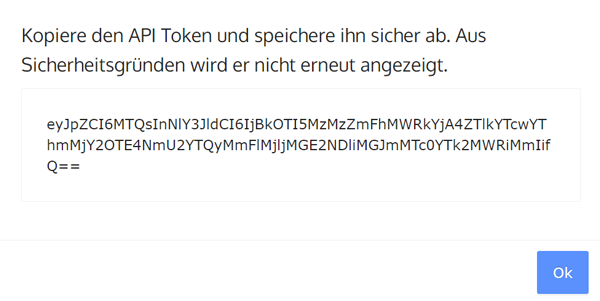
An API token will now be displayed. Save this token securely.
Create an Ad Campaign with URL Parameters
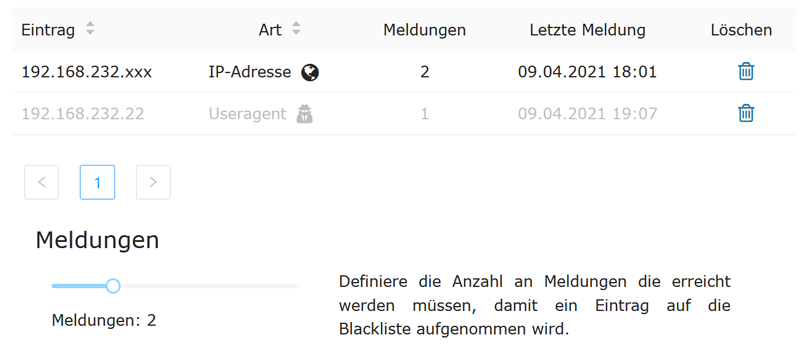
In the Advertiser Portal under Username > API Blacklist you will find the blacklist.
To report entries, the following parameters can be included in the ad campaign URL:
-
{ZONE_ID_1} and {ZONE_ID_2}: refers to an anonymous value assigned by the system to identify the visit.
-
Additionally, the IP address and the user agent can be reported.
Example URL for an ad campaign: https://www.turboad.de?zone1={ZONE_ID_1}&zone2={ZONE_ID_2}
-
Note: zone1 and zone2 are custom parameters that can be named as you wish. Please use uppercase for {ZONE_ID_1} and {ZONE_ID_2}.
-
Important: {ZONE_ID_1} is a very restrictive parameter that may exclude a large number of visits.
Now promote the URL via the surfbar or clicks and report one or more parameters.
Under Reports, you can define how many times a parameter needs to be reported before it is captured by the blacklist and further visits are blocked.
Send Parameters via the eBesucher API
Parameters can be reported via the eBesucher API URL using a POST request. To report a parameter, you also need the previously created API token.
URL: https://ebesucher.de/apiv2/advertising-feedback
Method: POST
Header: X-AUTH-TOKEN ; value=<generated API Token> (refers to the token generated at the beginning)
Body:
Report a Zone
{
   "zone_id_1": 123
}
Report an IP address
{
   "ip": "192.172.1.1"
}
Report a User Agent
{
    "useragent": "Mozilla/5.0 ..."
}
Report multiple parameters
{
    "useragent": "Mozilla/5.0 ..."
    "ip": "192.172.1.1"
    "zone_id_1": 123
}
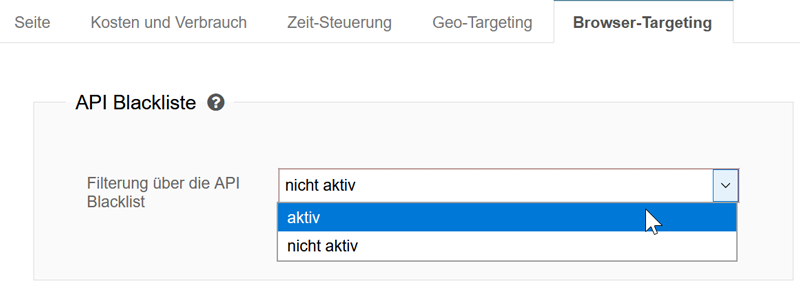
Enable the Visitor Filter
Important: For the blacklist to actively filter visitors, the visitor filter must be enabled in the ad campaigns. To do so, go to the Advertiser Portal under Visitors > Manage Campaigns > Edit Campaign > Browser Targeting.