

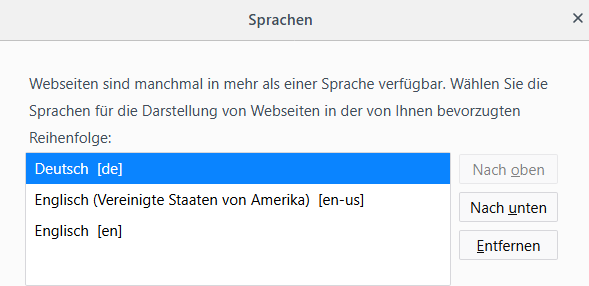
The visitors of a website can be filtered by their browser language. The browser language defines in which language a page is displayed. Most browsers offer the ability to specify multiple languages. Typical settings are:
eBesucher assumes in such cases that the first preferred browser language is the user's primary or most familiar language. The secondary language refers to all additional languages in the browser's language list.

What are browser languages for?
The language is determined by the user's internet browser settings. For example, a German user may access a website from a different country and still use the language setting German (de-de). The combination consists of the language code (de for German) and the country code (de for Germany).
Typically, the first language is the user's native language and the secondary language is a language the user is familiar with. Typical browser settings are:
German as the primary language, no secondary language:
- de-at (German - Austria)
German as the primary language, English as the secondary language:
- de-de (German - Germany)
- en-us (English - US English)
Why should I filter by browser language?
Filtering by browser language allows you to effectively narrow down your target audience. When you filter the browser language, your campaign will only be displayed to visitors whose language is set as the primary or secondary language in their browser configuration, depending on the filter application.
We recommend cross-referencing this with your web analytics statistics. Relevant questions for optimizing your campaign include:
- in which language(s) is my website written?
- which country and language codes do my visitors use?
- which country and language codes are relevant for marketing purposes?

