
Randomization is an optional feature for surfbar campaigns. It varies the actual display duration of your website by a random 2 to 15 seconds on each visit.
How does it work?
When a visitor views your campaign in the surfbar, the page transition is delayed by a random duration between 2 and 15 seconds. During this short waiting period, the visitor sees a helpful surfbar tip with a countdown. Afterwards, your website is loaded and displayed for the remaining time.
Example with 60 seconds retention time:
| Visit | Delay | Session Duration | Billed |
|---|---|---|---|
| 1 | 5 sec. | 55 sec. | 60 sec. |
| 2 | 12 sec. | 48 sec. | 60 sec. |
| 3 | 3 sec. | 57 sec. | 60 sec. |
| 4 | 9 sec. | 51 sec. | 60 sec. |
How is billing calculated?
Billing is always based on the full retention time that you have set.
Requirements
- Minimum retention time: 45 seconds
- Campaign type: Only available for surfbar campaigns (not for pay-to-click ads)
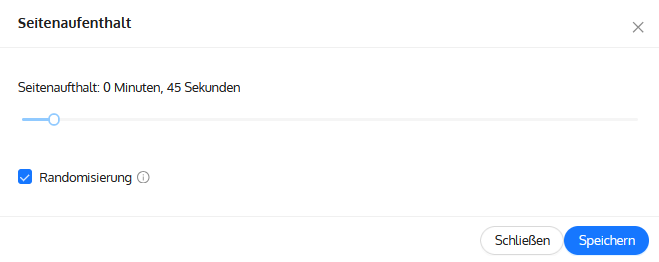
How do I enable randomization?
Randomization can be enabled when creating a new campaign or when editing an existing campaign. Below the slider for the retention time, the Randomization checkbox appears as soon as the retention time is at least 45 seconds.

