
Popup: Definition & explanation
A popup (from the English "to pop up") refers to a browser window or browser tab that opens automatically or after a user action. Typically, a website or advertising graphic is loaded. Popups are usually written in JavaScript and have been a common tool in online marketing for over two decades. Alternative spellings include pop-up or pop up.
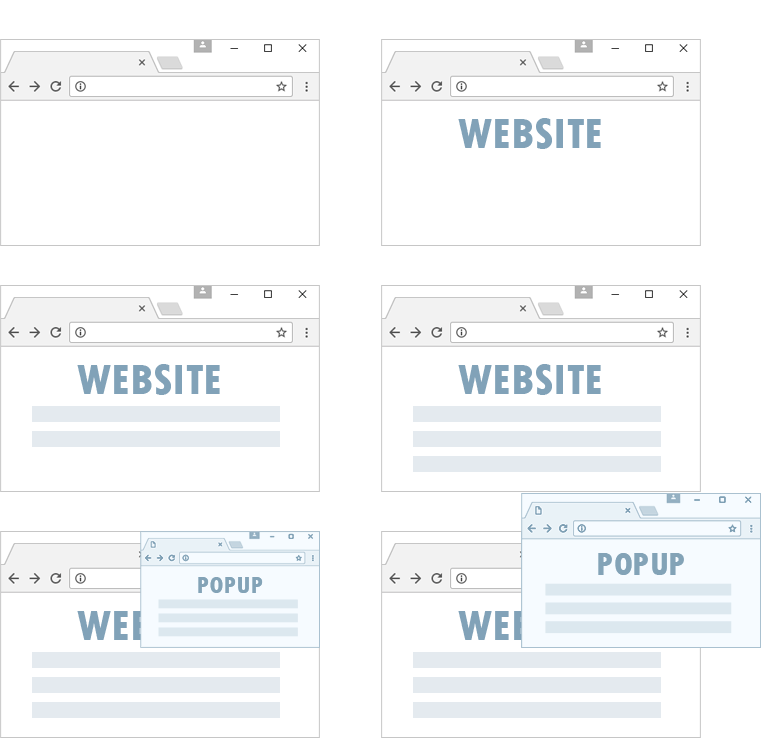
Popup advertising
The popup was conceived as an advertising tool in the late nineties and has retained this status to this day — albeit in an evolved form. To protect internet users from a flood of advertising, the developers of major web browsers introduced built-in popup blockers starting in 2004.
Popunder
Popunders are popups that open discreetly in the background. Unlike a classic popup, the user does not immediately notice that another window has opened. Websites advertised as popunders typically remain visible in the browser longer and appear less intrusive.
Popdown
Popdowns are popups that appear not when opening a website, but when leaving it. The advantage: the advertisement only appears when the user has already decided to leave the page. The negative association with intrusive advertising is thereby reduced.
OnClick Popup
In the past, popups usually opened automatically when visiting a website. Today, a user action is required in most cases. An OnClick popup only opens a window or tab when the user makes a click. Since this type of popup requires a conscious interaction, it is difficult to block with ad blockers.
Pop-up blocker
Pop-up blockers prevent unwanted popup windows from opening. Modern browsers like Google Chrome and Mozilla Firefox block popups automatically. If you are using a current browser, you generally do not need an additional pop-up blocker.
Popups on eBesucher
As a user of the surfbar and paid-to-click ads, you can specify in the member area under Visitors > Settings whether you want to visit sites with popups. It is allowed to block popups and still have websites with popups displayed.
Websites from advertisers that open multiple disruptive advertising popups are not allowed to be promoted on eBesucher. To visit paid-to-click ads, popups from the eBesucher domain must be allowed in your browser, as the advertisers' websites open in a new tab.

