
eBesucher Restarter
For your surfbar to run stably over time, you need a browser that is well protected against errors on websites. The surfbar itself works flawlessly – however, it loads many different websites that may contain errors.
Unfortunately, currently available browsers are not always stable enough and may crash sooner or later. That's why we developed a special software: the eBesucher Restarter.
It ensures that your surfbar is automatically restarted if the browser crashes. This way, you can continue collecting points without interruption.
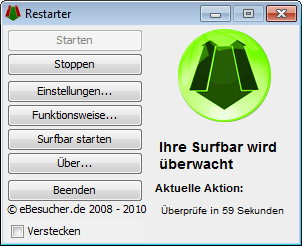
Functionality
After starting, the Restarter checks every minute whether your surfbar is still running. If not, the browser is restarted first, and then the surflink is reopened.
The browser is terminated directly – any prompts when closing are ignored. This prevents the process from hanging due to error messages and ensures everything continues to run smoothly.
Alternative Restarter
The alternative Restarter works on Linux and Windows.
System Requirements
- Operating system: Windows 7 / 8 / 10 / 11
- 10 MB hard disk space
- Java 8 or higher
Current Version
- Version: v1.2.06
- Release Date: 11.04.2026
To use the Restarter, you need the internal Restarter access code. When you start the program for the first time, you will be asked for the password – simply copy this code:
Installation
With Installer (recommended)
- Download and run the installer
- Optional: Enable "Start with Windows" during installation
- Start the Restarter and enter your username + Restarter code
Portable Version
- Download and extract the ZIP file
- Run restarter-with-pskill.bat
- Enter username + Restarter code