The compensation in the Surfbar and the click ads largely depends on how many pages can be displayed to the respective user. Advertisers on eBesucher have the ability to define their target audience very precisely. They determine which users their pages should be shown to - based on criteria such as location, operating system, browser language, internet provider, and other settings.
The better your own profile matches the requirements of the advertisers, the more pages are available - and the more points can be earned. Below, the most important factors for maximizing earnings are explained.
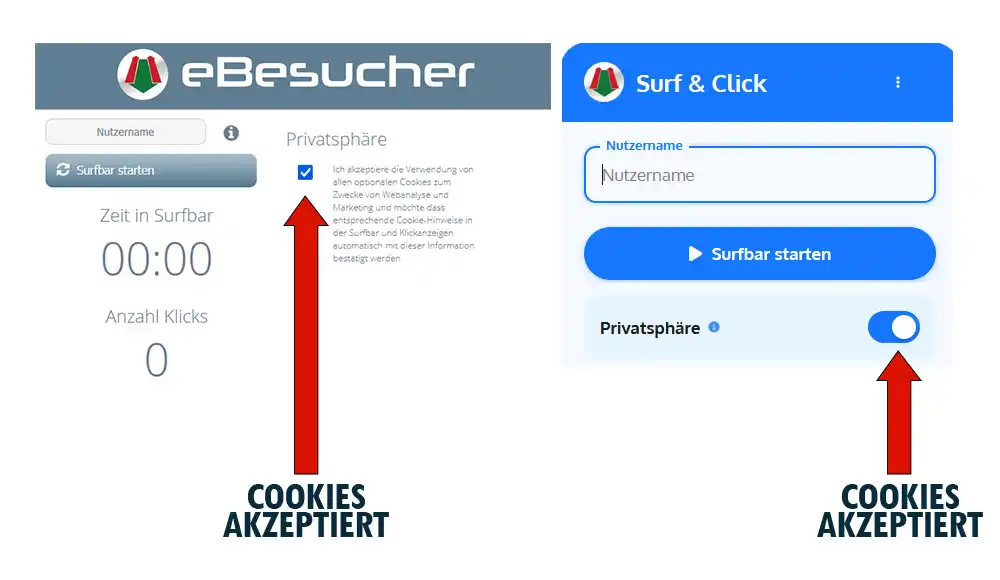
Privacy Setting in the eBesucher Addon
This is the most important factor for earnings. In the eBesucher Addon, there is a checkbox or radio button under the Privacy section. This setting should definitely be enabled.
By enabling it, significantly more pages become available to the user, as many advertisers specifically target users who have this setting enabled. Without enabling it, a large portion of available campaigns will not be displayed, which significantly reduces earnings.
Install the eBesucher Addon for Google Chrome or Mozilla Firefox now!
Internet Provider
Advertisers prefer users who are connected to the internet through a physical end-consumer provider (DSL, cable, fiber, mobile, etc.). Using VPN services, data centers, or proxy servers will result in many campaigns not being displayed.
For the best possible earnings, the Surfbar should be operated via a regular internet connection from an end-consumer provider.
Location: German-Speaking Region
Since eBesucher is a German company, there is particularly high demand for users from Germany, Austria, and Switzerland. Advertisers can target their geo-targeting specifically to these countries and regions.
Users from the German-speaking region benefit from a significantly larger pool of available pages and can therefore earn considerably more points than users from other regions.
Operating System
The choice of operating system also affects which campaigns are displayed. Advertisers can specifically target certain operating systems, and most campaigns are aimed at users of:
- Windows
- macOS
- Android
Linux users have significantly fewer campaigns available, as this platform is generally not specifically targeted by advertisers.
Update Your Browser
Always use an up-to-date browser if possible. Older browser versions are more prone to errors and can cause the connection test to not complete successfully. Keep your browser up to date with regular updates to ensure optimal functionality and compatibility.
Language Settings
When using the Surfbar, make sure that the browser language matches the language of your country. Example: the browser of a Surfbar user from Germany should use German as the browser language.
Many advertisers use the browser language filter in combination with geo-targeting. Pages are then only displayed to users whose browser language matches their geographic location. A mismatched browser language can result in relevant campaigns not being shown.

IP Address Renewal
Many advertisers use a so-called IP lock, which prevents repeated access from the same IP address to the advertised page within a certain time period. The Surfbar user's IP address is blocked from further visits after the first visit to the advertised page. This means that the pool of active pages decreases over time.
However, if your IP address is renewed, the pages that are in the IP lock can be displayed in the Surfbar again. For internet connections with a dynamic IP address, a router restart or reconnection is usually sufficient for renewal.
Screen Resolution
This factor applies to desktop computers - tablets and mobile devices are not affected.
In general: the higher the screen resolution, the more pages can be displayed. Some advertisers require a minimum screen resolution, which can be freely defined in the member area.
If the screen resolution is low, the pool of available pages decreases. The screen resolution should not be smaller than 1280 x 1024. The Surfbar tab should also always be maximized.
Settings in the Member Area
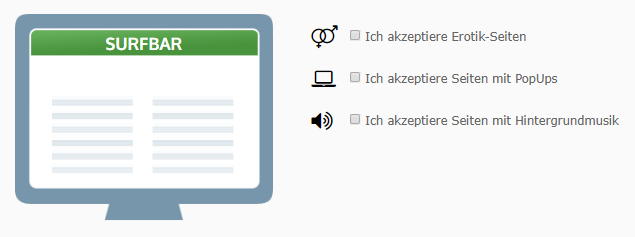
Surfbar users have the option to maximize the pool of available pages in the Surfbar and click ads by individually adjusting their personal visitor settings. In the member area under Earn Money > Dashboard > Settings, the following options can be enabled:
- Accept pages with sound
- Accept pages with pop-ups
- Accept pages with adult content
Note: you may need to enter your date of birth in your profile to see all options.